
A scanner does not know where one document ends. It produces one file per batch, and that file may contain an invoice, a delivery note, three letters and a contract. Before anyone can work with them, they have to be separated.
What is PDF splitting?
PDF splitting, also called document separation, divides a multi-page file into its individual documents. Each document then gets its own file and can be classified, read and filed on its own.
Done by hand, this means paging through the file, recognising the first page of each document and cutting it out. With large volumes, this takes hours and errors creep in.
Why one PDF often contains many documents
Incoming mail is scanned in batches. Applications arrive with all their evidence in one attachment. Archives digitise whole folders at once. In all these cases, the result is one PDF with many documents of different types.
Separator sheets or barcodes between the documents help, but they have to be inserted by hand before scanning, and they are often missing in emails and uploads.
How IDA finds the boundaries
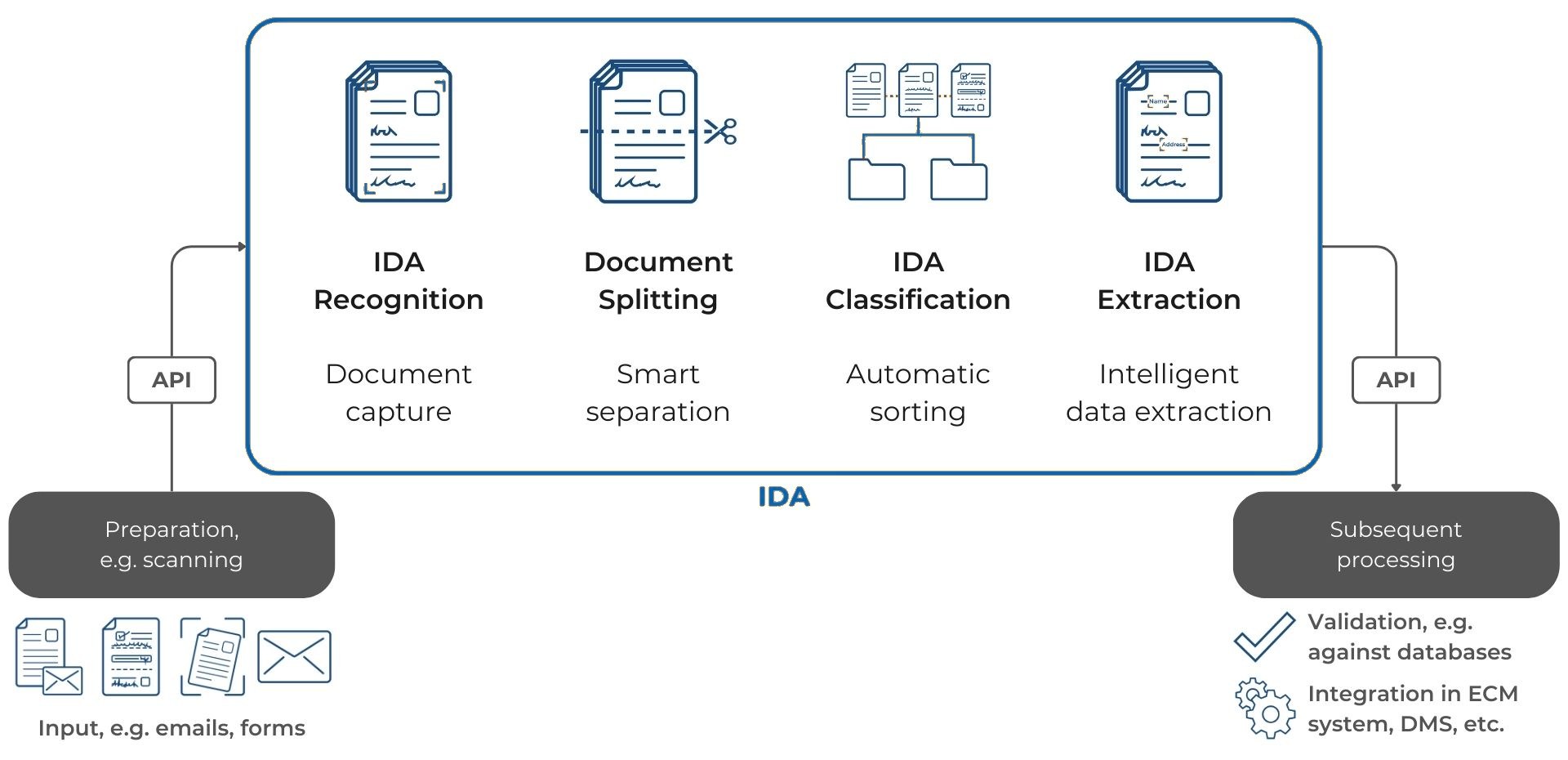
IDA first reads every page: machine print with an accuracy of more than 99 %, handwriting with more than 95 %. It then recognises where a new document begins, from the layout, the content and typical features of first pages such as a letterhead, a subject line or a form title.
Each separated document goes straight on to classification and extraction. More on this in our blog posts on PDF classification and entity extraction.
What changes in daily work
No more sorting by hand
Nobody pages through batches looking for the first page of the next document.
Every document in the right process
Once separated, each document can be classified and routed on its own: the invoice to accounting, the contract to the legal department.
Better data
Extraction works on exactly one document at a time. Values from the delivery note do not end up in the invoice.
Easier to find
Documents are filed individually and correctly labelled, not as page 14 to 17 of a scan.
Where PDF splitting is used
Invoices
A batch of scanned invoices becomes individual invoices that can be checked and posted one by one.
Loan applications
The application and its evidence, such as payslips and ID documents, are separated and checked individually.
Incoming mail and customer service
Letters with attachments are separated so that each request lands in the right process. More in our blog post on the digital inbox.
Patient records
Findings, lab results and doctors’ letters are filed individually in the right record.
Personnel and case files
Large files are broken down into their individual documents and made searchable.
Frequently asked questions
What is the difference between PDF splitting and classification?
Splitting finds where documents begin and end. Classification then determines what type each document is. Both work together.
Do we still need separator sheets?
No. IDA recognises document boundaries from the content and layout.
Which file formats are supported?
PDF and image formats such as PNG and JPG, from scanners, email attachments or uploads.
What happens if a boundary is uncertain?
IDA gives every decision a confidence score. Below the threshold you set, a person checks the result.
See it with your documents
In a demo, we show you how IDA separates your scanned batches into individual documents.