
Patient records, court files, applications to public authorities: documents full of sensitive data cross your desk every day. Before they leave the building, names, addresses and account numbers have to go. By hand, that means reading every page, finding every entry and covering each one.
With IDA, this happens automatically: the software finds sensitive data in the document and redacts it.
Why redact at all?
A lawyer forwards court files to the opposing party. A hospital releases data for research. A public authority discloses files under freedom of information law. In each case, personal data must not leave the organisation.
One overlooked name is enough for a data breach.
The old way: redacting by hand
First with a black marker, now with black boxes in a PDF editor. The principle has not changed: a person goes through page after page and covers whatever they find. A 100-page file takes hours. By the third hour, attention fades. That is when things slip through.
The new way: automatic redaction with IDA
IDA reads the document and flags names, addresses, social security numbers and bank details. These passages disappear behind black bars. The redaction cannot be undone, by design.
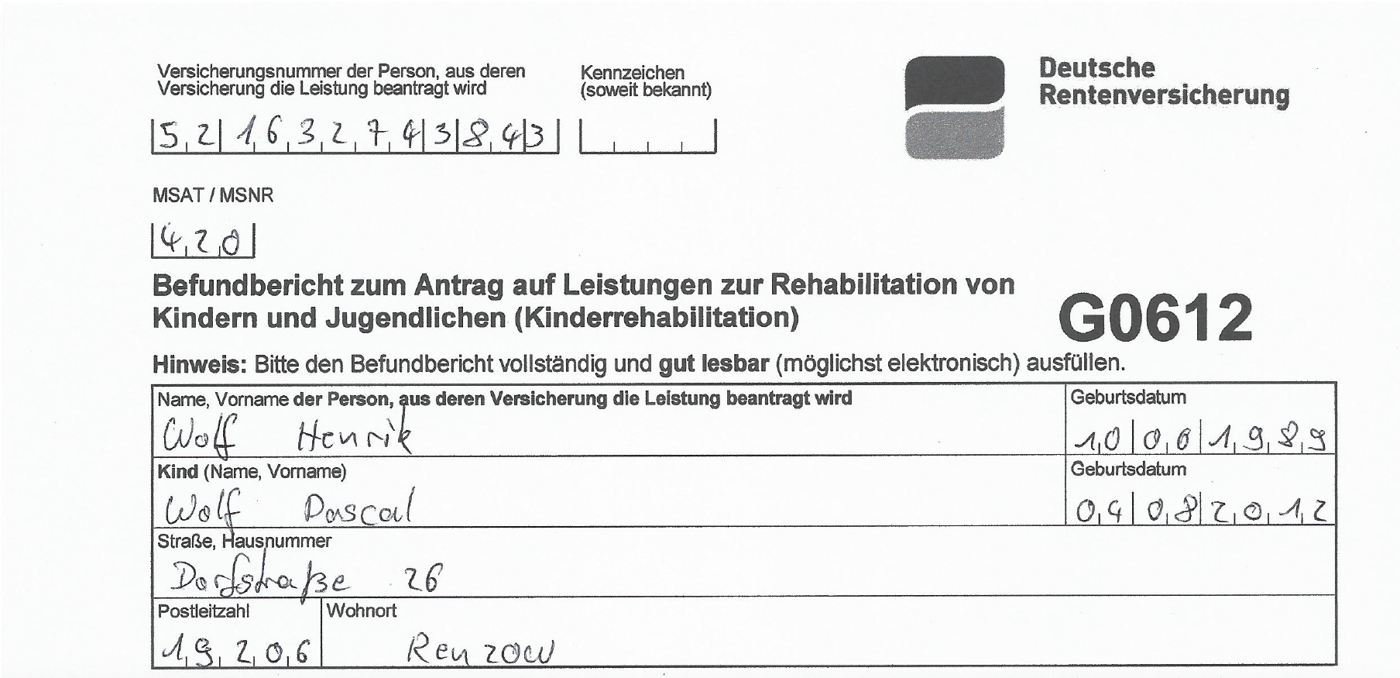
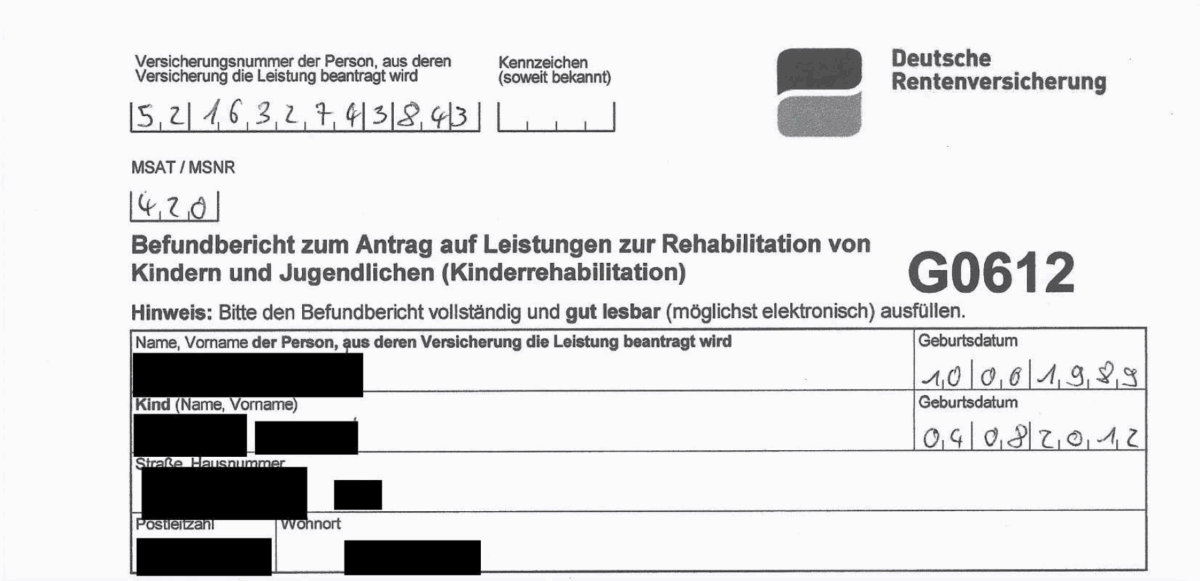
Handwritten entries are redacted too, as in the form above. Besides the PDF, IDA also redacts the extracted data in its JSON output. Once removed, the information cannot be restored.
Your team reviews the result instead of searching every page. IDA runs where your data lives: in your cloud, on-premises or hybrid. Software vendors build redaction into their own products with the IDA Recognition SDK.
Who needs redaction?
Law firms
Prepare client files for court without confidential details reaching the other side.
Hospitals
Anonymise patient data before it goes to research.
Public administration
Disclose files under freedom of information law and keep citizens’ data private.
Banks and insurers
Produce regulatory reports and document claims without exposing internal data.
Frequently asked questions
Can a redaction be undone?
No. Redaction with IDA is permanent. Black boxes drawn over text in a PDF editor are a different matter: the text underneath often survives and can be copied.
Which data does IDA detect?
Names, addresses, social security numbers and bank details.
Which formats does IDA handle?
PDFs and images, including scanned documents. IDA also redacts the extracted data in its JSON output.
Does IDA redact handwriting?
Yes. IDA reads handwriting and redacts handwritten entries, as in the form above.
Can I build redaction into my own software?
Yes. Redaction is part of the IDA Recognition SDK, which software vendors integrate into their products. More on OEM integration.
Where are my documents processed?
Wherever you run IDA: in your cloud, on-premises or hybrid. For an on-premises setup, your documents never leave your network.
What does redaction have to do with the GDPR?
The GDPR requires data minimisation (Article 5). If you pass on documents containing personal data, you may only share what the purpose requires. Redaction is the usual way to get there.
See it with your documents
In a demo, we show you how IDA handles documents like yours.